Diagnostic platform
Purpose-built around Raspberry Pi, powered by Nuts About Nets' software applications for General RF, Wireless Pro Audio, and Wi-Fi.
A portable diagnostic platform that makes Wi-Fi performance, RF interference, and crowded spectrum visible—wherever the problem happens.
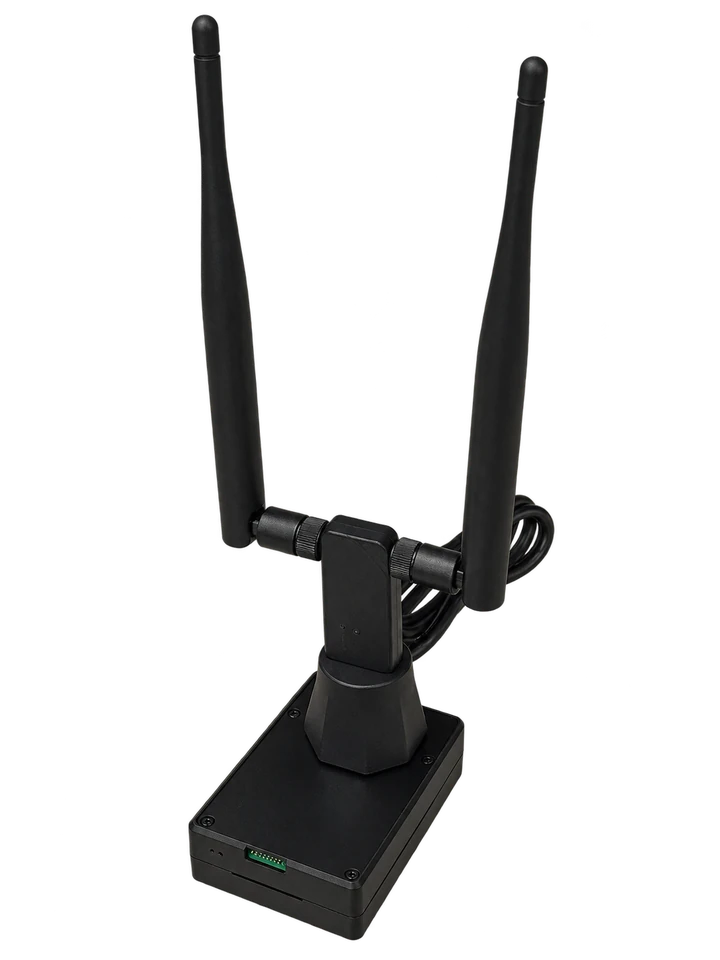
Wireless Toolbox includes the hardware appliance, Wi-Fi adapter and a suite of browser-operated diagnostic tools. External radio receivers are not included.
Purpose-built around Raspberry Pi, powered by Nuts About Nets' software applications for General RF, Wireless Pro Audio, and Wi-Fi.
Use any browser on a phone, tablet, Mac, or PC. Connect wirelessly to the appliance to control the tools and view results.
No client app to install.
Known radios, controlled by the appliance. Supported today: RF Explorer and RTL-SDR dongles.
Planned support: HackRF and tinySA. External radios are sold separately.
Practical and affordable for everyday field work.
Wireless Toolbox includes the hardware appliance and a suite of browser-operated diagnostic tools. The appliance does the measuring. Connect wirelessly from your phone, tablet, or computer and view results from any browser.
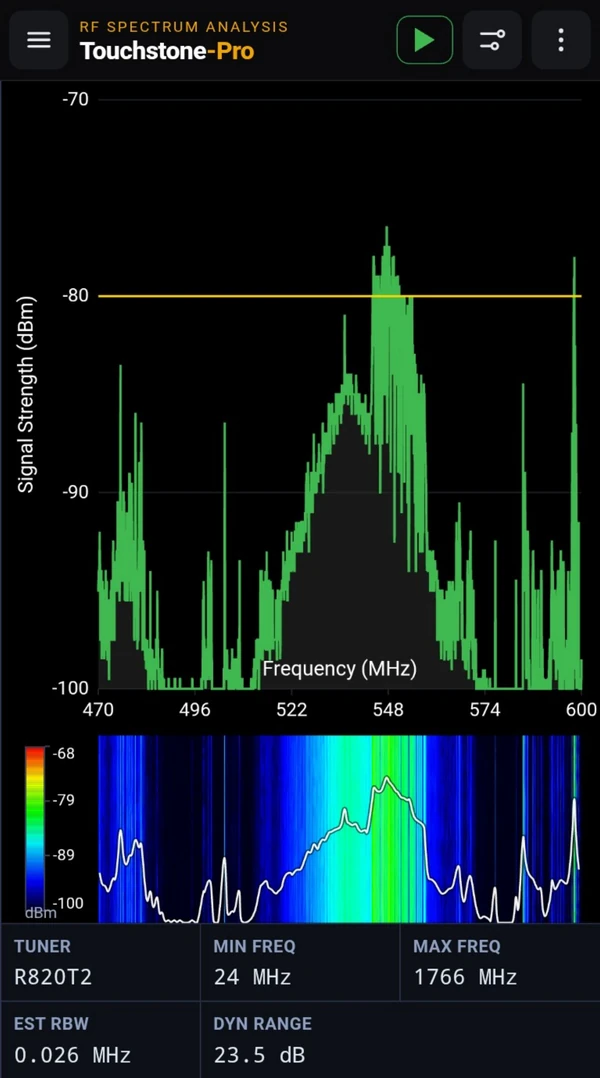
Spot RF activity and watch it unfold over time with Touchstone-Pro's live spectrum and waterfall.
Explore Touchstone-Pro →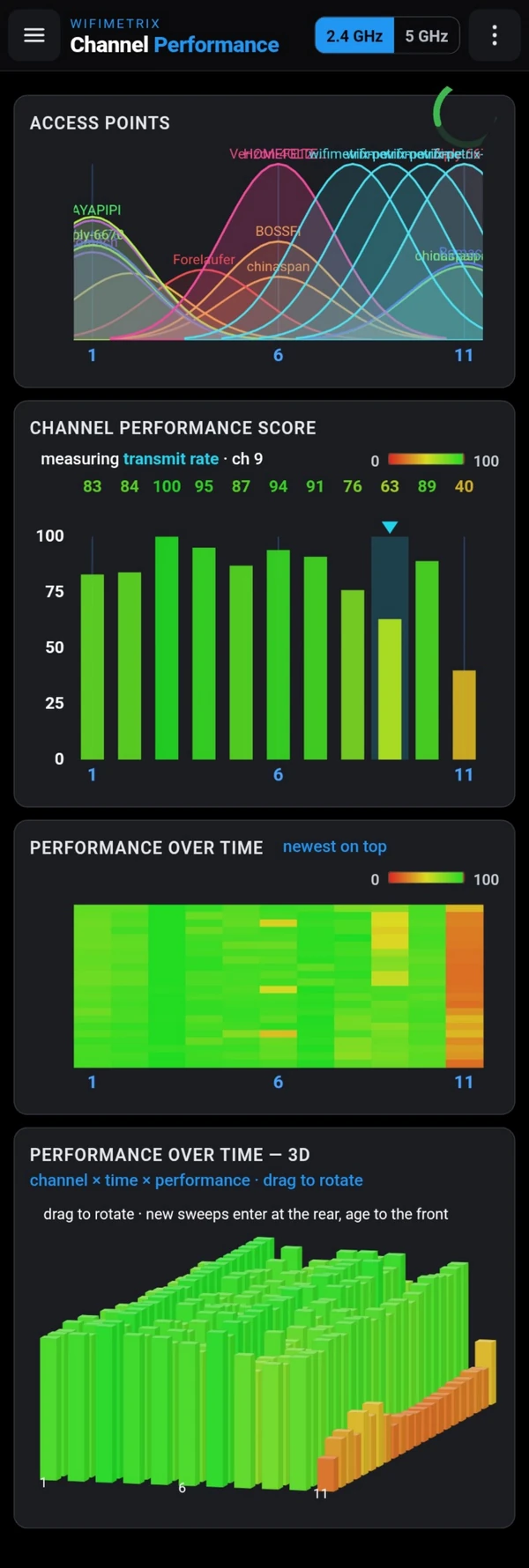
Go beyond counting networks. Channel Performance measures how effectively the appliance can transmit on each Wi-Fi channel.
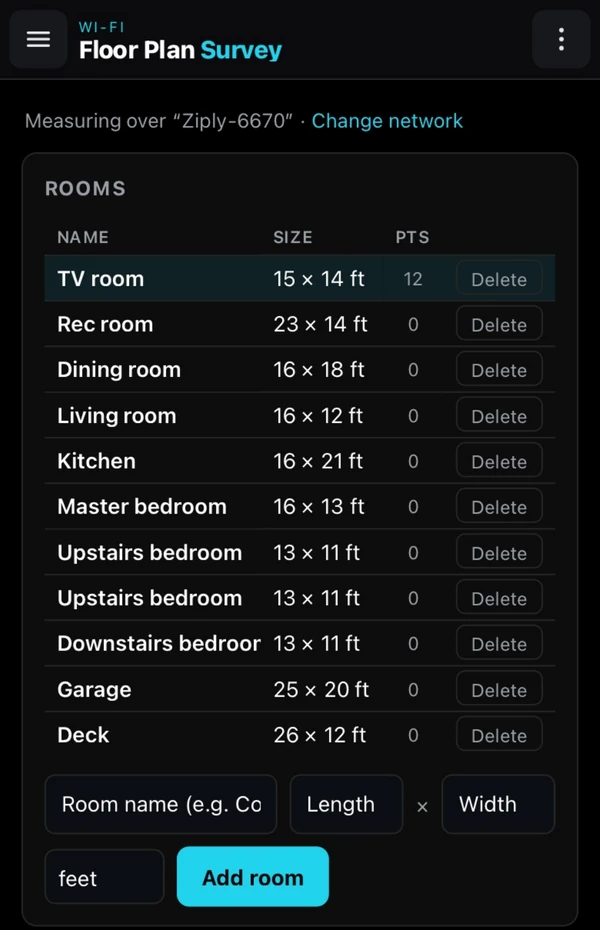
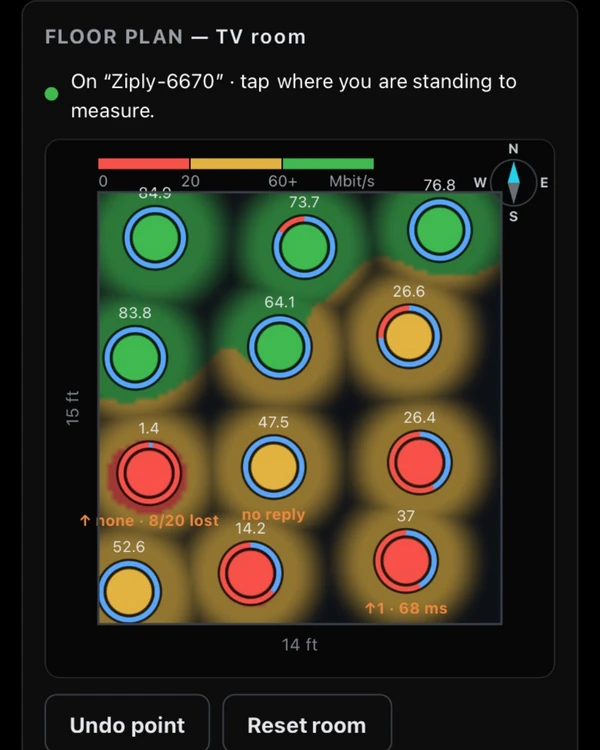
Explore Channel Performance →Walk your space and turn real throughput measurements into a floor plan map. See where Wi-Fi works—and where it needs attention.
Explore Floor Plan Survey →Use your own phone, tablet, or computer. RF Explorer and RTL-SDR receivers are currently supported, with support for HackRF and tinySA planned for a future update. All external radio receivers are sold separately and are not included with the Wireless Toolbox appliance.
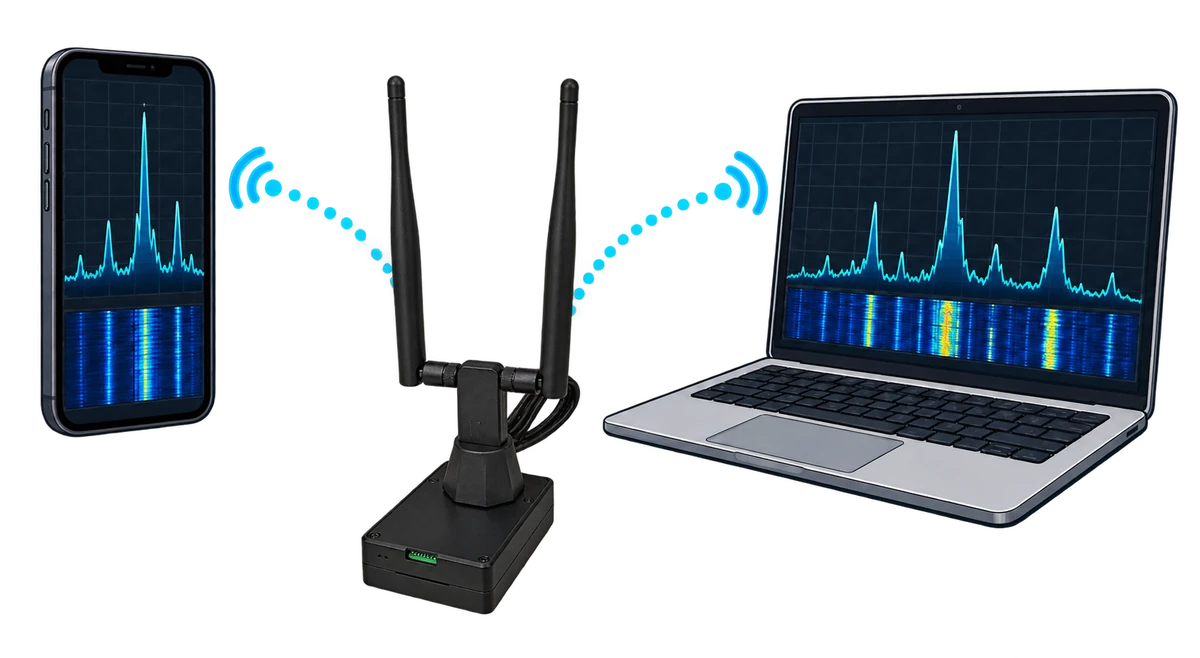
Wireless trouble is frustrating because its causes are invisible. A slow connection, unreliable microphone, or intermittent signal can look like a software problem when the real culprit is congestion or interference in the air.
Wireless Toolbox is a diagnostic platform that brings measurement hardware, analysis software, and browser-based visualization together in one small field appliance. It gathers the evidence, performs the analysis, and presents the results in a clear interface served directly to your browser.
That means no special desktop installation and no dependency on what a phone or laptop happens to expose. The same tools work from the bench, a network closet, a venue, or anywhere else the problem lives.
The result is a practical field instrument rather than a folder full of utilities. It makes purpose-built wireless diagnostics practical for everyday work.
Wireless Toolbox coordinates the radio work inside the appliance and uses server-sent events to stream live measurements and charts to a consistent, approachable workspace in any modern browser.
Set the compact appliance where the network, signal, or interference issue is actually occurring.
Use the browser already on your phone, tablet, Mac, or Windows PC. The Toolbox serves the interface.
Run focused diagnostics for Wi-Fi, general RF, or wireless pro audio from a single menu.
Attach the hardware needed for the job and choose the instrument from the Toolbox menu.
Find nearby access points and understand the networks competing for airtime around you.
Compare channels using appliance-side measurements instead of relying only on signal bars or AP counts.
Walk a room, tap each measurement point, and build a coverage heatmap from delivered downlink throughput—not an RSSI estimate.
Turn live receiver data into an intuitive spectrum view for finding signals and seeing interference.
Watch selected spectrum continuously and surface meaningful changes that deserve attention.
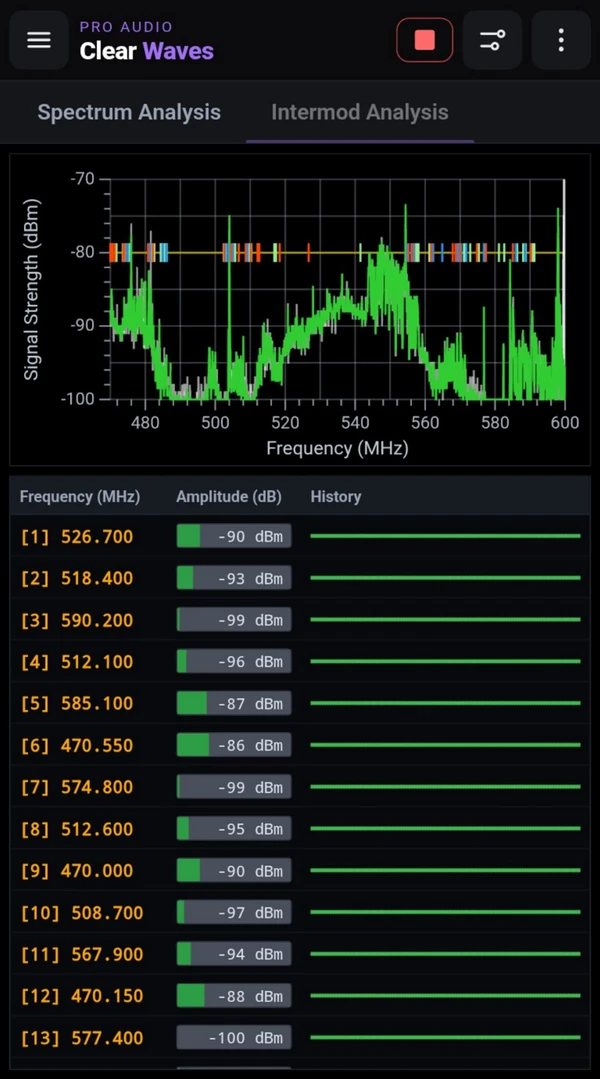
Visualize the RF environment and analyze intermodulation for wireless microphones and in-ear monitors.
Bring network discovery and raw spectrum awareness together for a more complete view of the band.
Wireless Toolbox brings Wi-Fi diagnostics, measurement control, and analysis together in one appliance. Connect a supported external radio to use the RF spectrum and wireless-audio tools that work with it.
RF Explorer and RTL-SDR are supported today. Support for tinySA and HackRF is planned, giving you more radio options as the platform grows.
External radios are not included with the appliance. RF Explorer, RTL-SDR, tinySA, and HackRF are separate devices. Support for a radio means compatibility, not that it comes with your Wireless Toolbox.
Support is planned for a future update.
Wireless Toolbox is a project of Nuts About Nets. Its instruments grow from years of Windows and macOS products used to visualize RF, troubleshoot Wi-Fi, and coordinate wireless audio. The appliance brings that experience into a portable, cohesive platform designed for the way wireless work happens now.
Wireless Toolbox brings a dedicated hardware appliance and a suite of diagnostic software applications together in one portable toolkit. Connect wirelessly from your phone, tablet, or computer to investigate Wi-Fi performance, RF interference, and wireless audio—from any browser.
Visualize access points, channel use, signal history, and network configuration from several complementary views.
READ MORE →Generate controlled 802.11 channel load to reproduce slow Wi-Fi, stress-test a network, and see how devices perform under pressure.
Monitor tool results from any browser in the world, even when you are away from the Wireless Toolbox.