01 / DISCOVER
What is nearby?
Inventory every visible radio, including hidden or unexpected access points.
NetSurveyor continuously scans the Wi-Fi environment and turns every nearby access point into a clear, actionable picture of channel use, signal strength, and configuration.
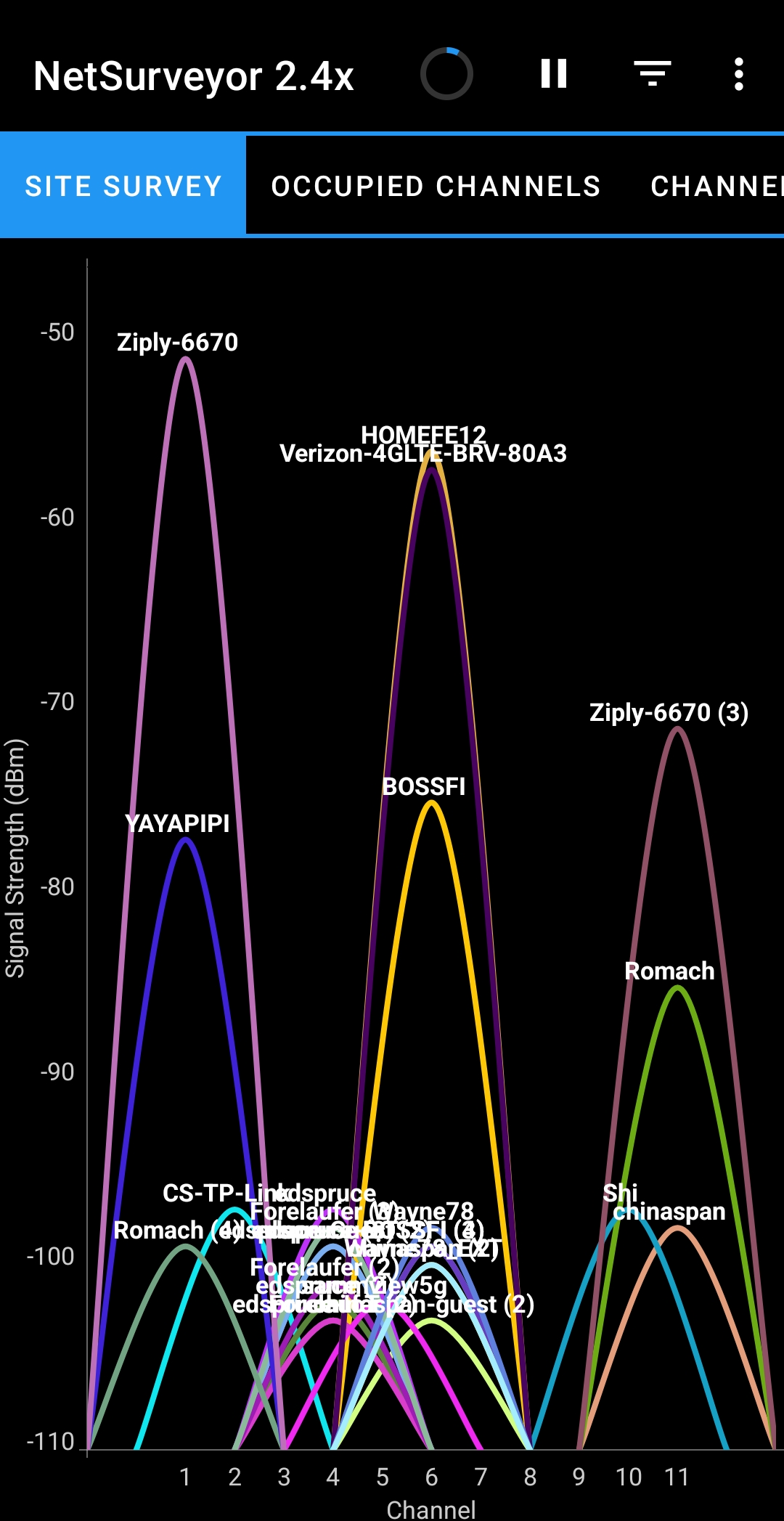
A quick network list is a starting point. NetSurveyor adds the complementary views needed to understand what those networks are doing and how they change as you move.
Inventory every visible radio, including hidden or unexpected access points.
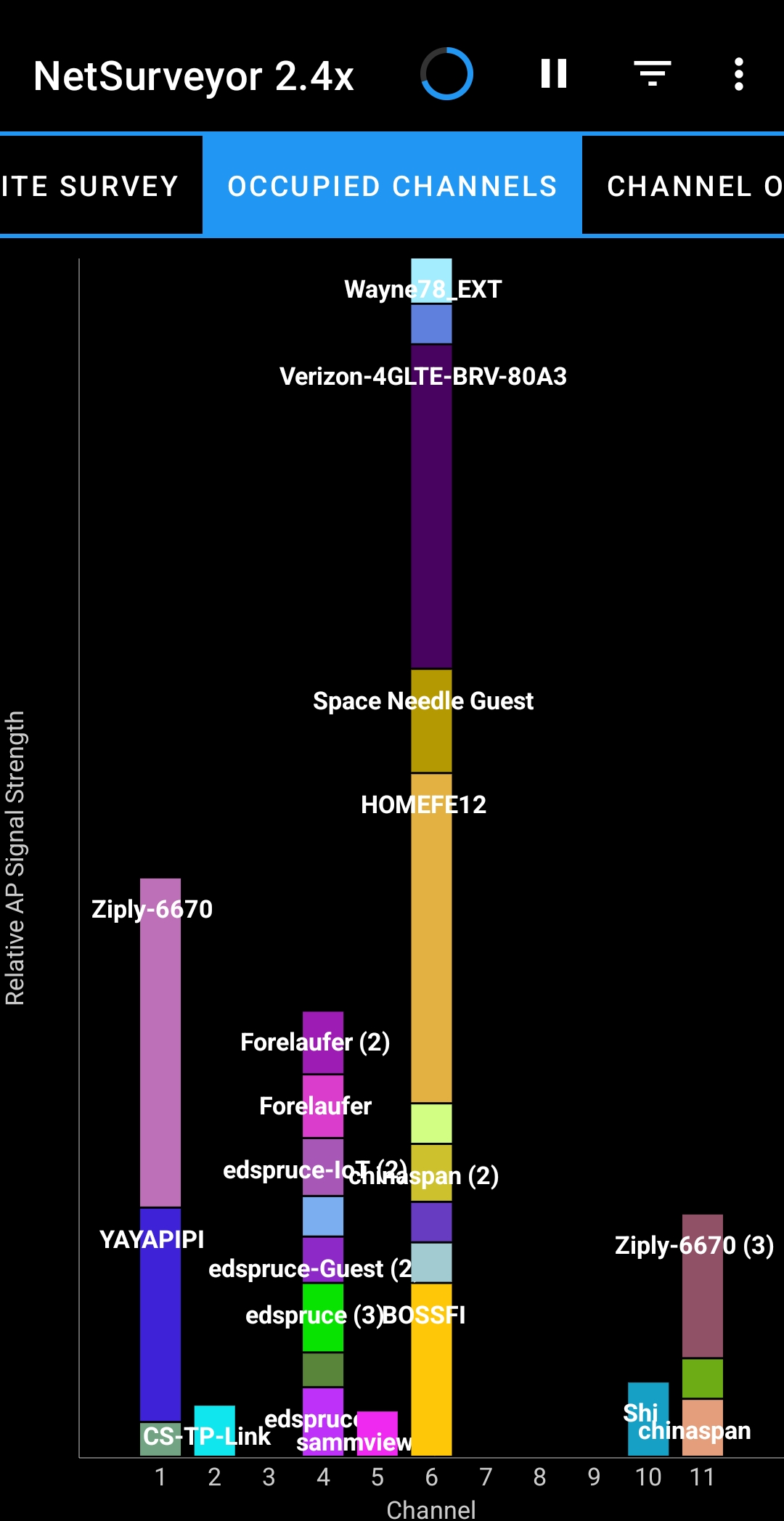
See how access points collect on channels and where overlapping networks compete.
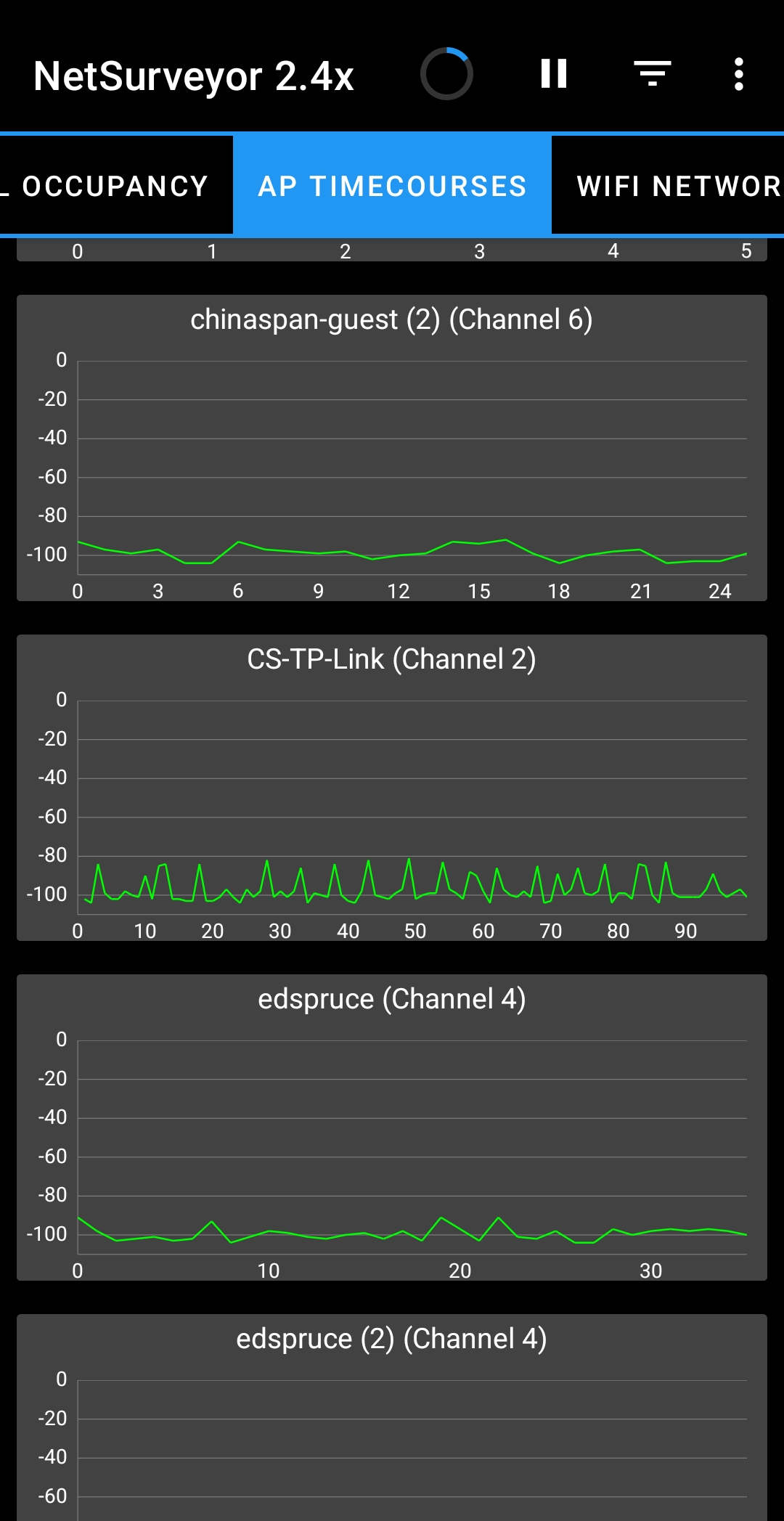
Watch RSSI history while moving to find weak coverage and dead spots.
Confirm channel, band, BSSID, and security after a deployment or change.
Each view answers a different diagnostic question without hiding the underlying access-point data.
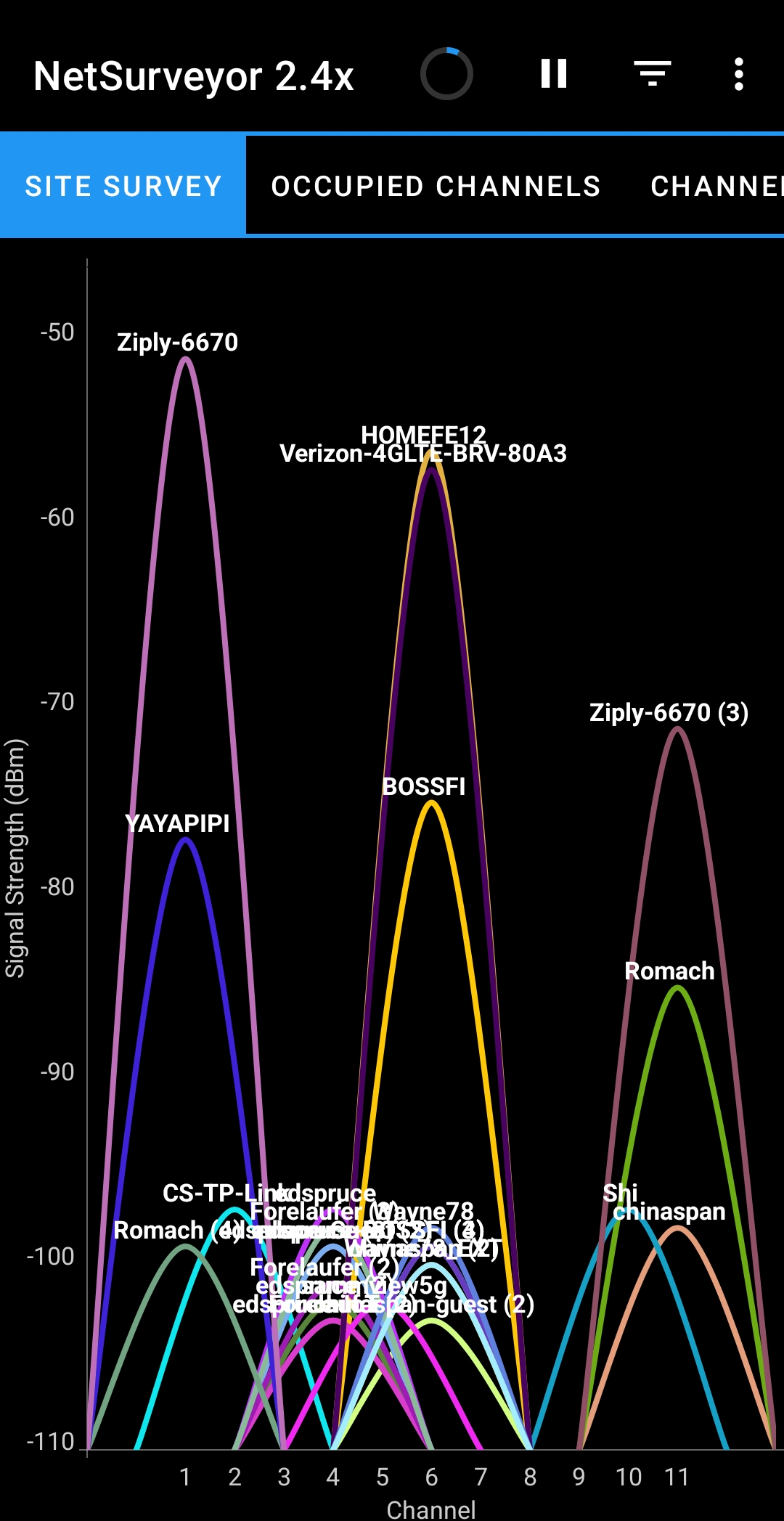
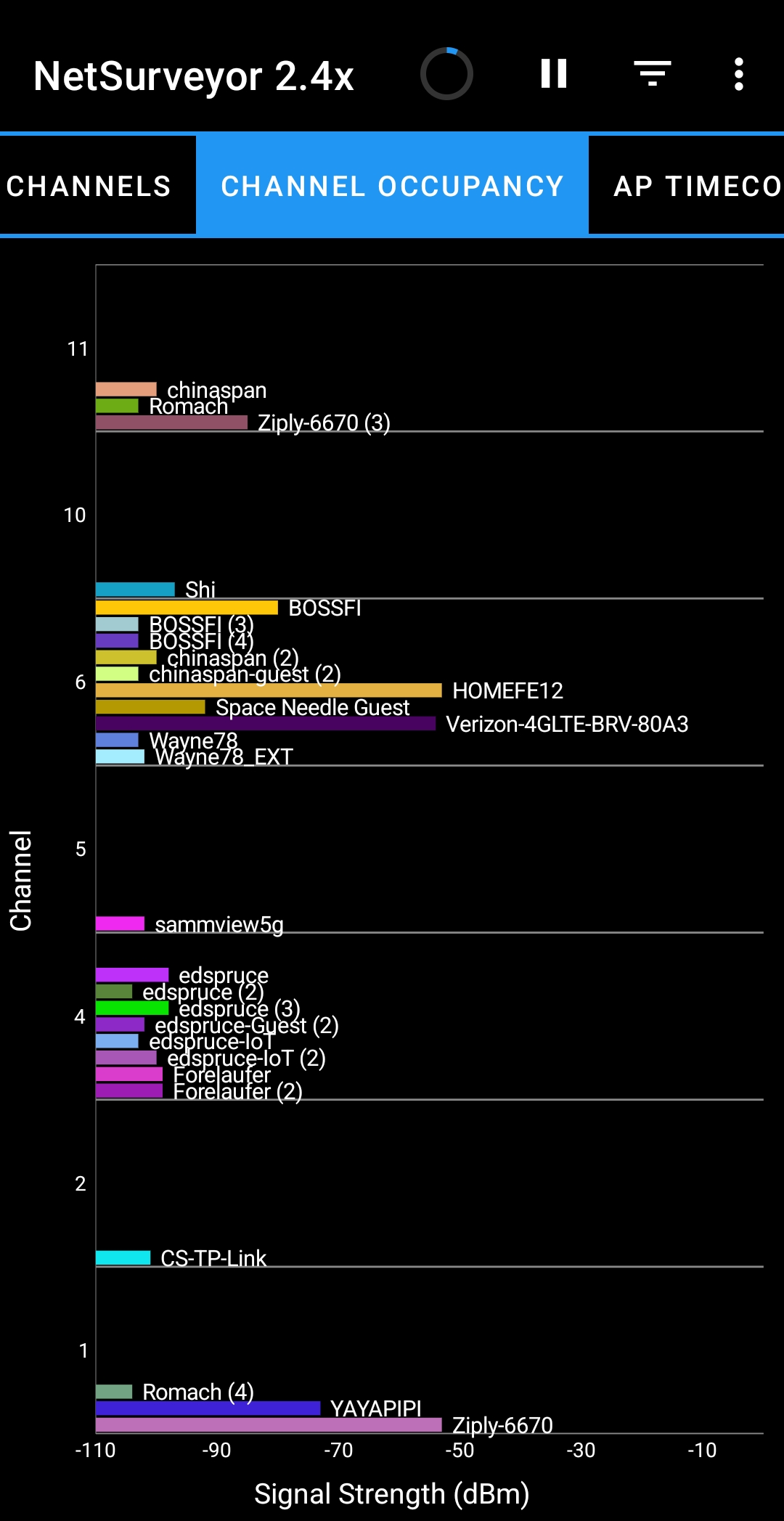
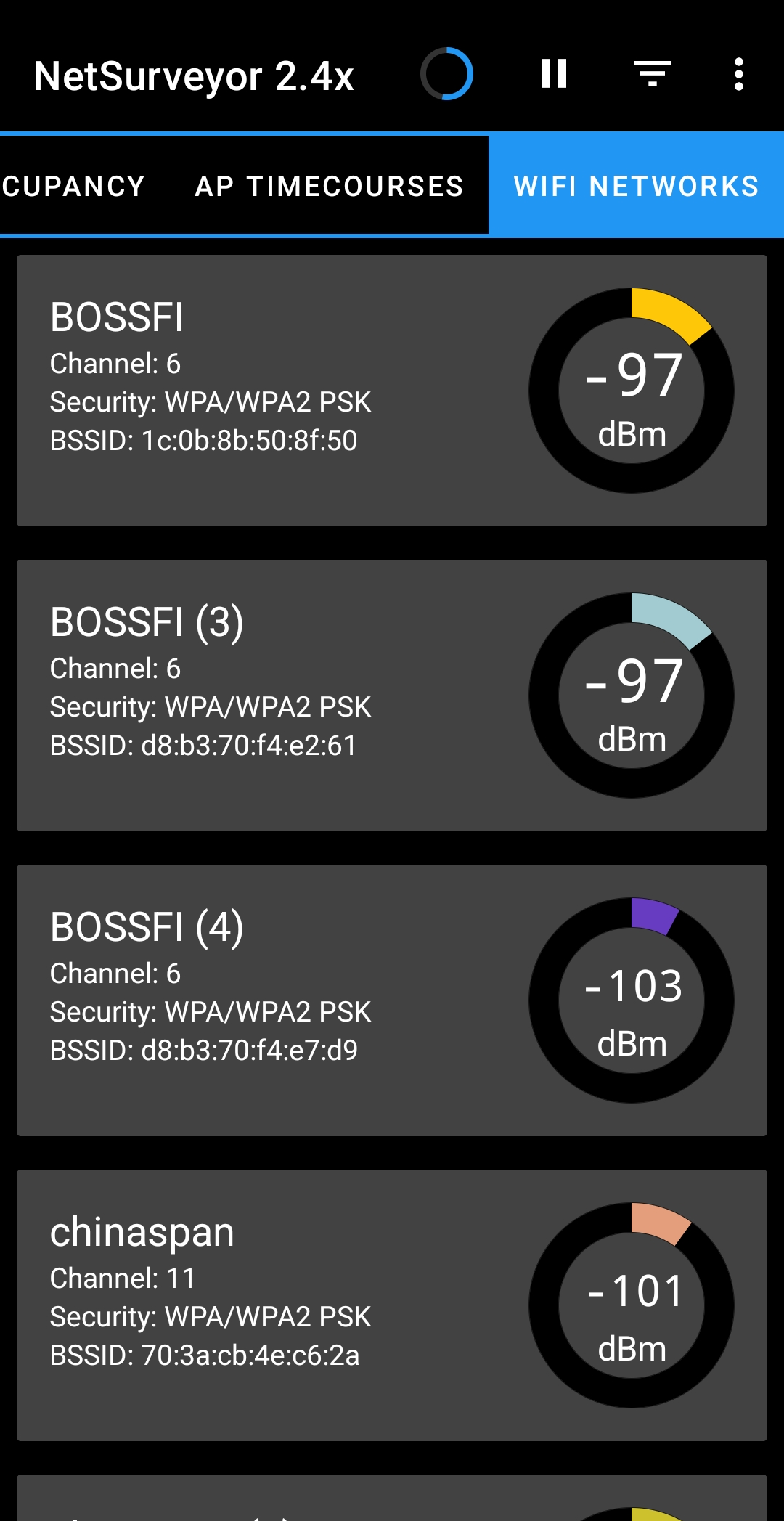
NetSurveyor reports the RF environment as it is, giving engineers, administrators, integrators, and field technicians evidence they can act on.
Walk the problem area and watch signal histories develop in real time.
Understand congestion before changing an AP.
Verify band, channel, identity, and security.
Surface an unexpected or misconfigured radio.
On Wireless Toolbox, NetSurveyor runs on the appliance and presents results through the browser on your phone, tablet, Mac, or PC. There is no separate license to select or purchase.
Move the appliance through the site, open NetSurveyor from the Toolbox menu, and see nearby networks from more than one useful angle.